

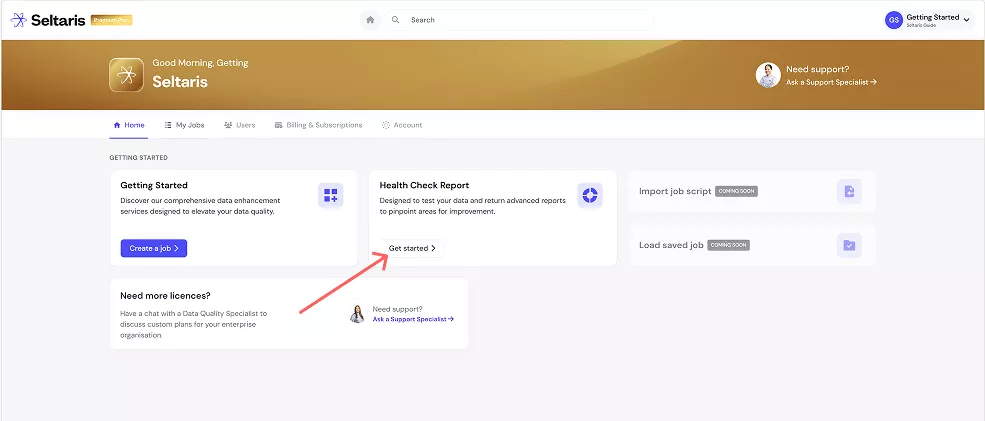
This guide will use an account with the ‘Premium Plan’, to find out how to join a plan follow Getting Started: Seltaris+ Subscriptions
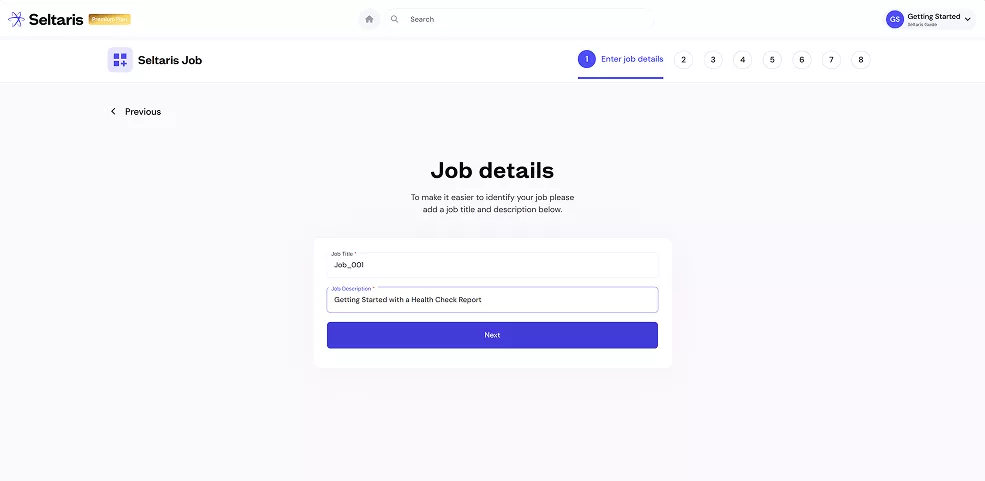
Enter your job details.
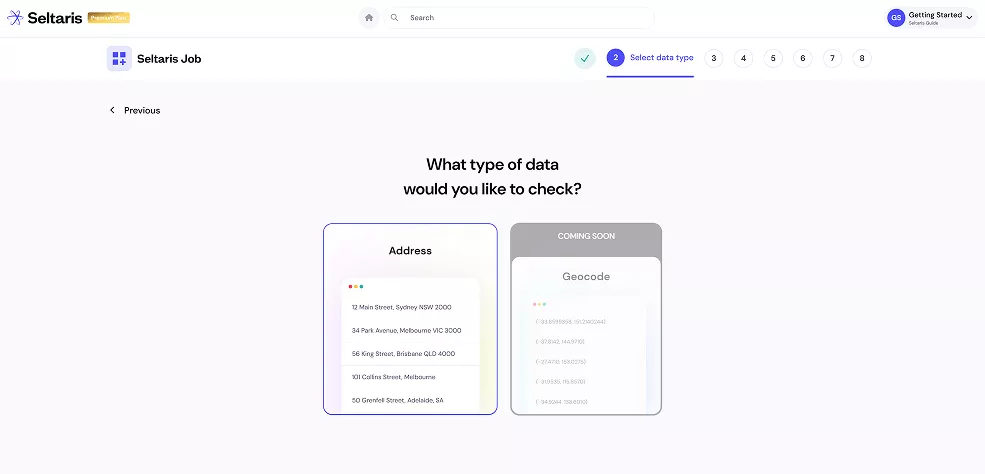
Select the type of data that you would like to check.
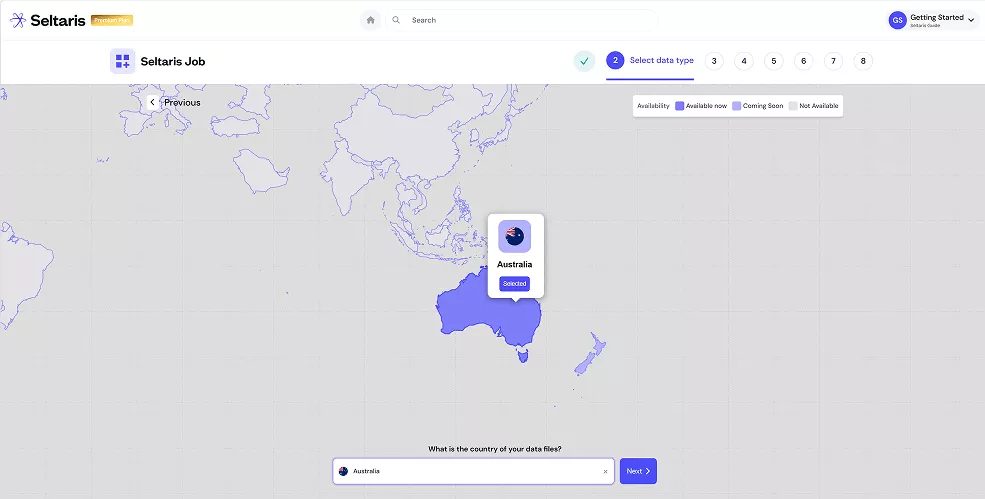
Select the country or region of your data file, then press Next
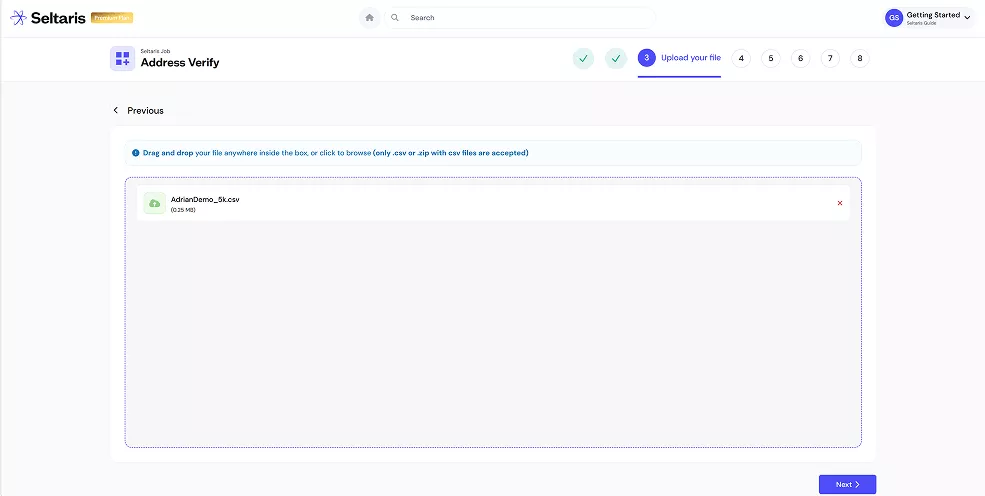
Upload the data file you want to check, then click Next.
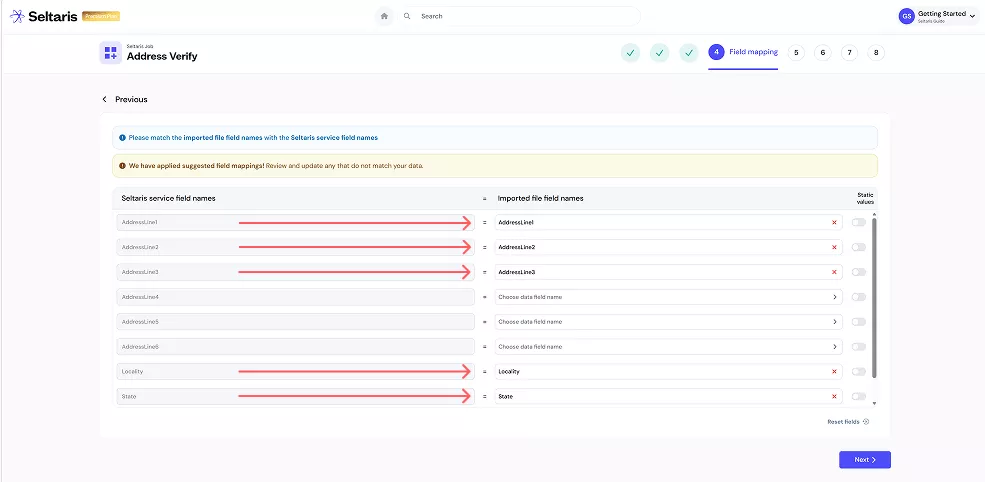
Match your imported file field names to the Seltaris service field names. You can leave some empty or set them as a static value. Make sure all essential fields are mapped from the dropdown list.
When finished click Next in the bottom-right.
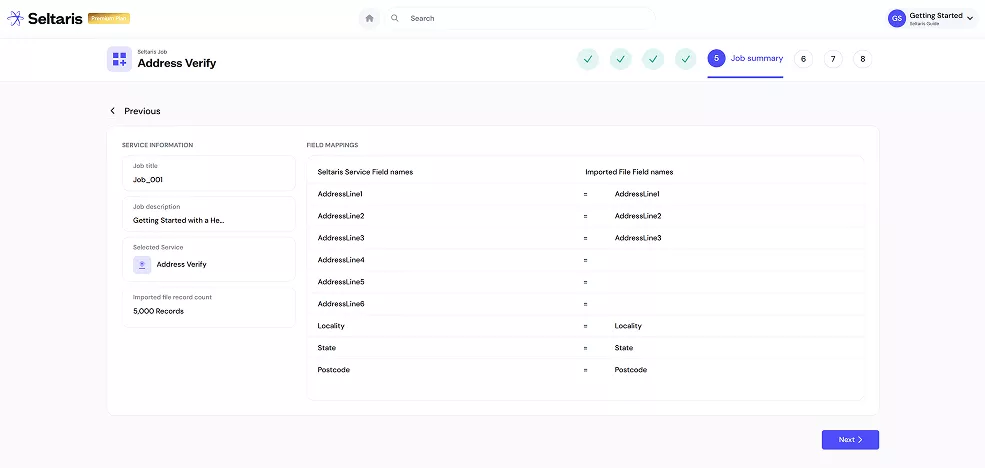
Verify that your imported file field names are correctly mapped to the Seltaris service field names. Once confirmed, click Next.
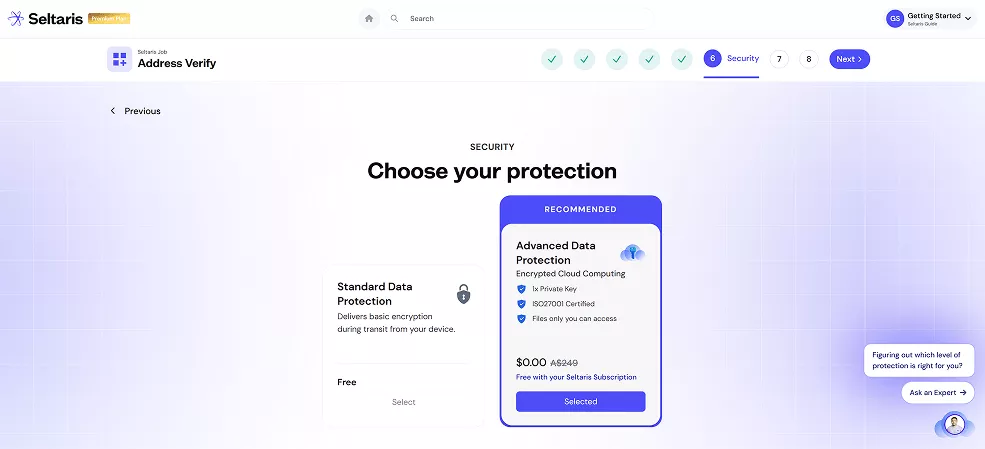
Choose either Standard or Advanced Data Protection. Note: Advanced Data Protection comes free with selected plans.
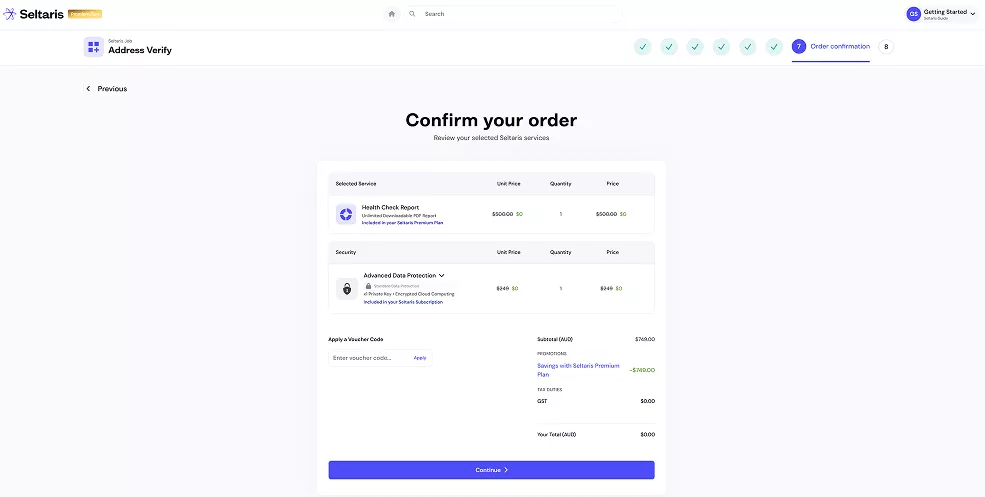
Confirm your order details.
If you haven’t already, you can subscribe to Seltaris+ to get the Health Check Report and Advanced Data Protection for free
Step 10
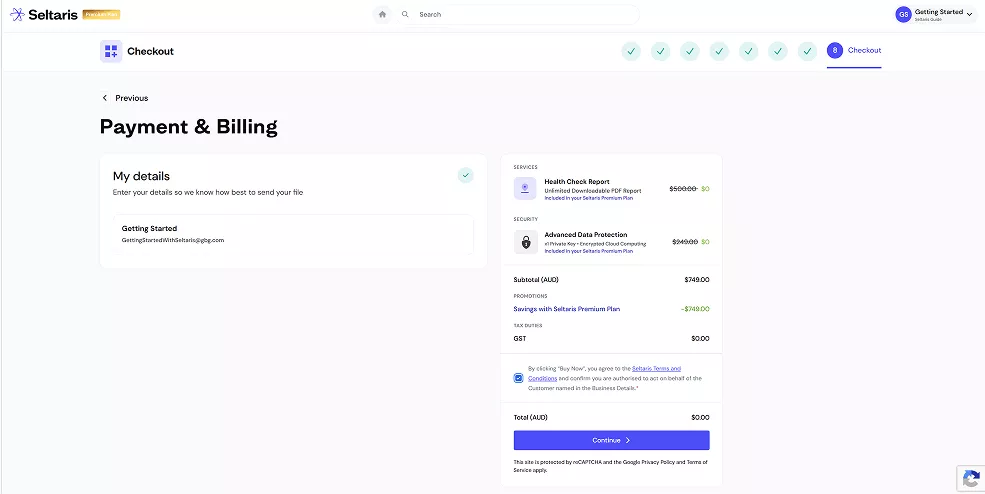
Enter in your Payment & Billing details, review the Seltaris Terms and Conditions, then press Continue
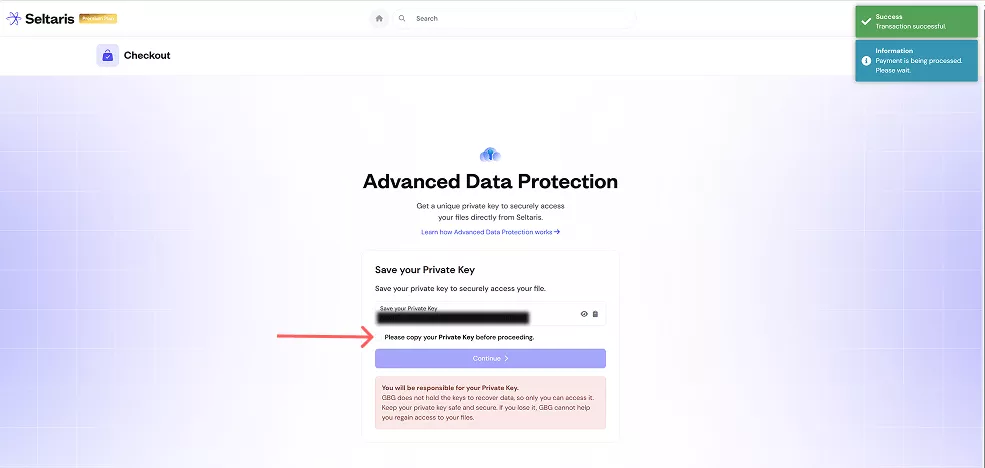
If you selected Standard Data Protection, skip to the next step. If you chose Advanced Data Protection, you’ll be taken to this screen to save your private key.
You must save this key. You will not be able to access your result file without it. Confirm you’ve stored the key, then press Continue.
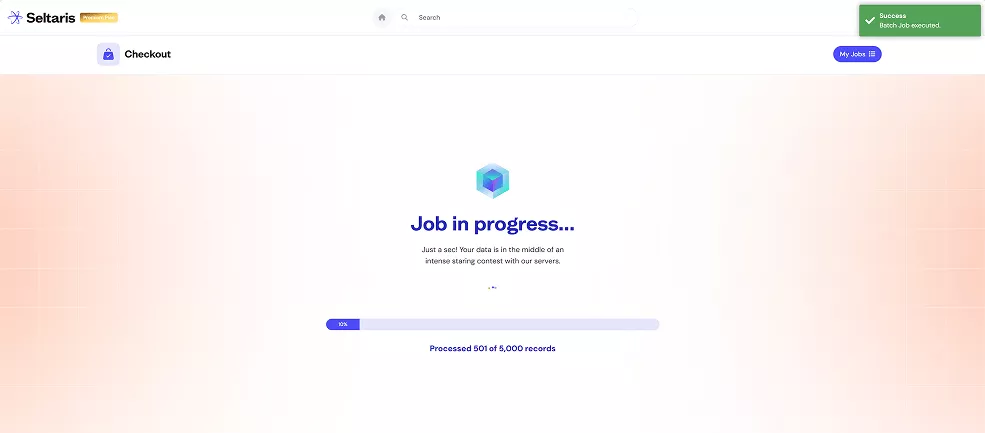
Your job will now begin processing. You can stay on the screen, close Seltaris, or navigate to the home page. If you chose to stay on the screen you will be automatically redirected to the next step once the job is complete.
When the job finishes, it will be moved from In Progress under My Jobs to the Completed tab.
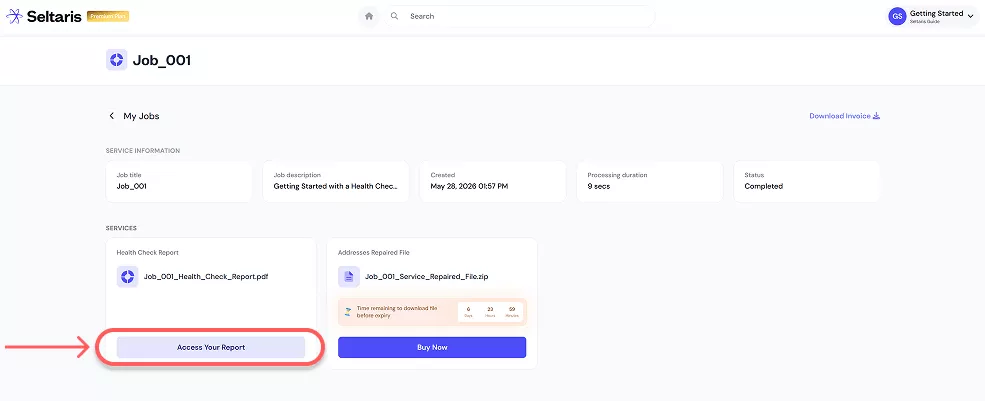
Your Health Check Report can now be downloaded by clicking Access Your Report. You can view this job anytime in the Completed section of My Jobs.
If you wish to access your result file, click on Buy Now and follow the simple steps.
End